Manage Plugins Across All Your Sites
One dashboard for every WordPress site you manage. Install, update, and monitor plugins without logging into each site.
The problem
The reality of managing multiple WordPress sites
Agencies and freelancers who manage WordPress sites for clients know the routine. Log into site one, check for plugin updates, run the updates, verify nothing broke. Log into site two and do it again. Site three. Site four. By site twenty, the afternoon is gone. Zeebrar gives you that central view.
How it works
From scattered logins to one dashboard
Connect All Your WordPress Sites
Install the free GPLC Connector on each site and activate it with the one license key from your account. About a minute per site; from then on every update check the connector makes (at least every 12 hours) tells your dashboard the site is alive.
View Every Site from One Dashboard
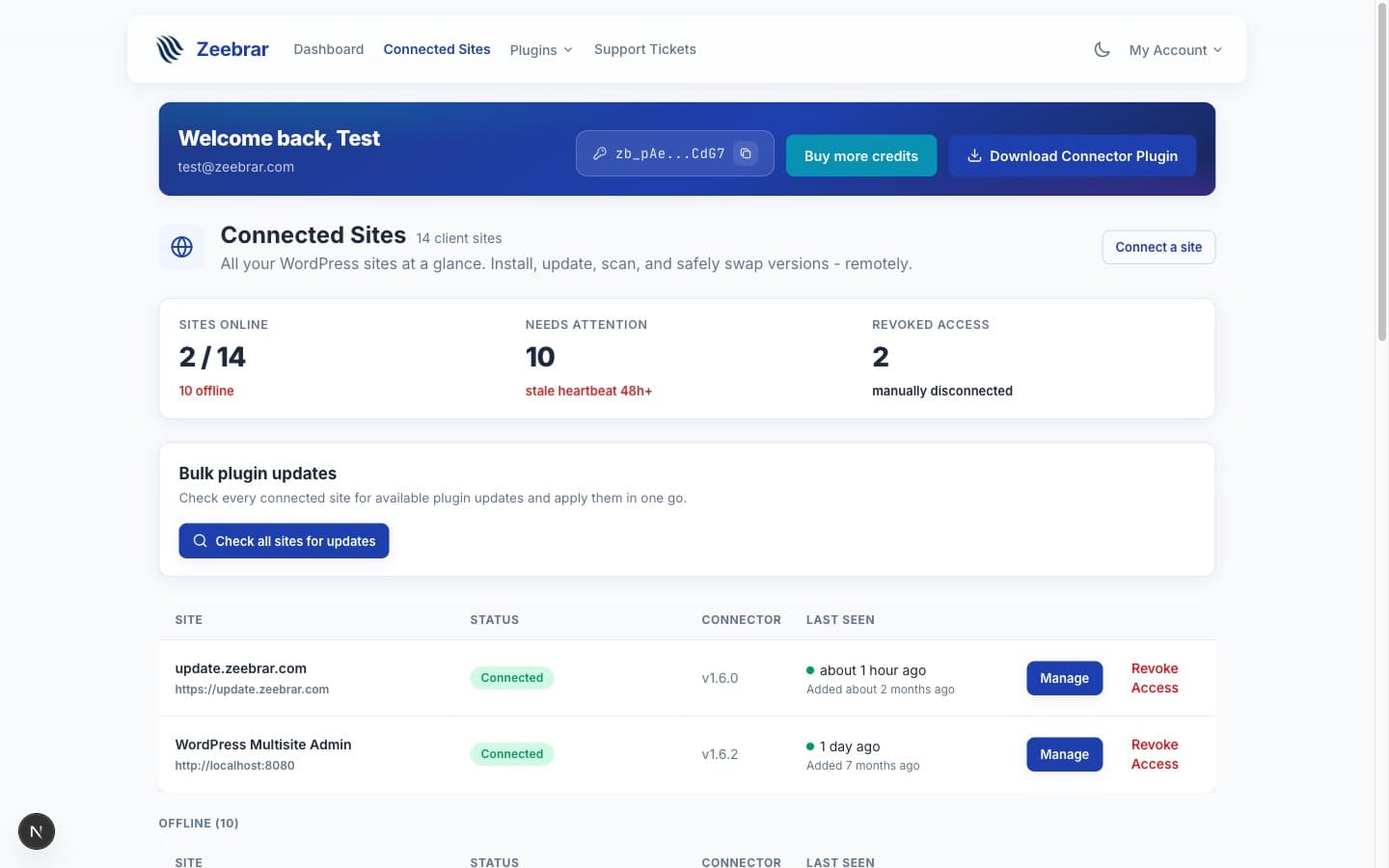
The Sites page lists every connected site with its status, connector version and last contact. Open a site for its full plugin inventory with versions, plus WordPress and PHP versions once diagnostics sharing is on in the connector.
Install, Update, or Rollback Remotely
Manage plugins on any site without logging into wp-admin. Install new plugins, push updates, or roll back to a previous version from your dashboard.
Monitor Site Health at a Glance
A site that has not contacted Zeebrar for 48 hours is marked Offline, a site you removed shows as Revoked, and pending updates are listed per site, so a silent site or a stale PHP version stands out without opening each admin.
Benefits
Built for people who manage sites for a living
No Per-Site Fees
Site connections are included in your subscription. You are not charged extra for each WordPress site you manage. Connect five or fifty, the price stays the same.
Unlimited Sites on Agency Tier
The Agency plan supports unlimited site connections. If you manage a large portfolio of client sites, there is no ceiling on how many you can add.
Centralized Plugin Management
See every plugin on every site from one view. Filter by site, by plugin, or by update status. Find what you need without navigating twenty different dashboards.
Three Site States, One Rule
Connected means the site contacted Zeebrar within the last 48 hours. Offline means it did not, usually a site nobody has visited so WP-Cron never ran the update check. Revoked means you removed it; one click reconnects it. No guesswork about whether a client site is still reachable.
FAQ
Common questions
How many sites can I connect?
Is this the same as WordPress Multisite?
Can my team members access the dashboard?
What information can I see about each site?
What if I remove a client site later?
Stop juggling WordPress logins
Connect all your sites and manage them from one place. No per-site fees.