Install WordPress Plugins Remotely
Stop logging into wp-admin on every site. Install, update, and manage plugins from one dashboard.
The problem
The problem with managing plugins the old way
If you manage more than one WordPress site, you already know the drill. Log into wp-admin on site one. Navigate to Plugins. Upload the zip file. Click activate. Then do it all over again on site two, site three, and every other site you are responsible for. Zeebrar's remote installer changes that.
How it works
Four steps to remote installation
Install the Free GPLC Connector
Add the GPLC Connector plugin to your WordPress site. It takes under a minute and works with any standard WordPress installation.
Connect Your Site to Your Dashboard
Paste the license key from your account dashboard into the connector once. The site appears under Sites in your dashboard with its plugin inventory, and with WordPress and PHP versions once diagnostics sharing is switched on in the connector.
Browse 5,000+ Plugins and Click Install
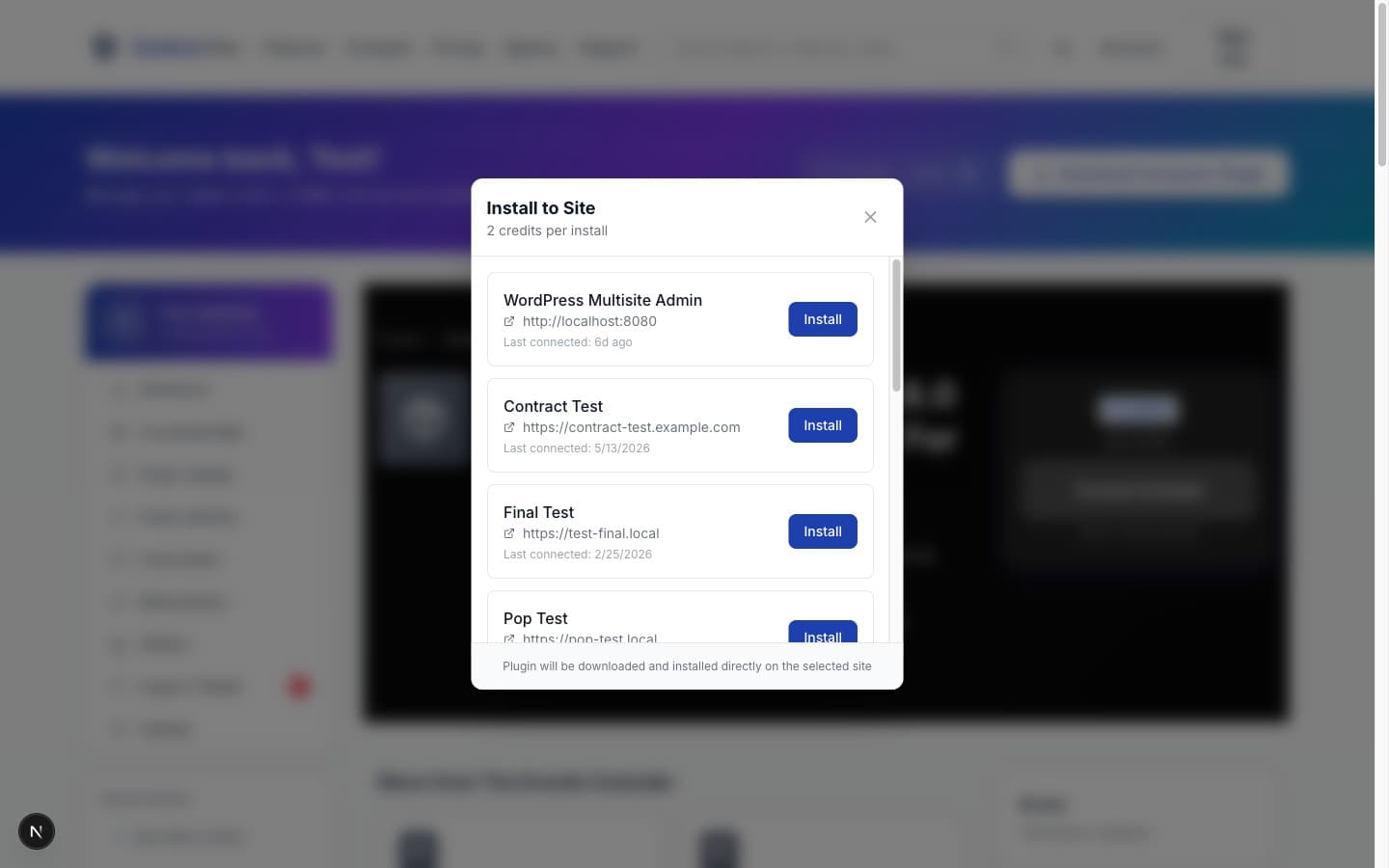
Find the plugin you need from our catalog of over 5,000 premium WordPress plugins, click "Install to Site" and pick the site. The credit cost is shown before you confirm.
The Plugin Appears on Your Site
The plugin is installed and activated on your WordPress site automatically. No file uploads, no wp-admin login, no manual steps.
Benefits
Why go remote?
No wp-admin Access Required
Install plugins on any connected site straight from your Zeebrar dashboard. You never need to open wp-admin for plugin management again.
Works Across All Connected Sites
Connect as many WordPress sites as your plan allows and manage them all from one place. No per-site fees or separate logins.
Pre-Install Compatibility Checks
Before any file is downloaded, Zeebrar checks the version's VirusTotal verdict: a version flagged as malicious is blocked and nothing is charged. On the site, WordPress itself refuses a version that needs a newer WordPress or PHP than the site runs, and the credits for that install are refunded.
Credit-Based Fair Usage
Each installation uses credits from your plan. No throttling, no waiting in queues. Your credits, your pace.
Transparent Credit Tracking
See exactly how many credits you have left, how many each action costs, and when your credits reset. No surprises on your bill.
Any Version, Not Just the Latest
Need a specific plugin version for compatibility? Install any version from the full version history, not just the most recent release.
FAQ
Common questions
How does remote plugin installation work?
Is it safe to install plugins remotely?
Do I need FTP or SSH access to my server?
What WordPress versions are supported?
How many sites can I connect?
What happens if an installation fails?
Ready to install plugins the easy way?
Pick a plan and start installing plugins remotely in minutes.